Properties for the Grid container II
column-gap and row-gap
Specifies the size of the grid lines. You can think of it like setting the width of the gutters between the columns/rows
Values:
<line-size>– a length value
1 | .container { |
e.g.
1 | .container { |
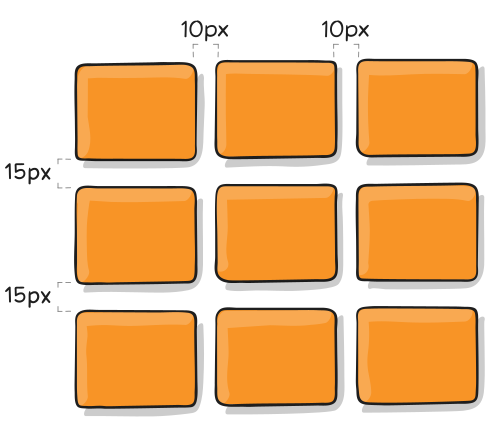
The gutters are only created between the columns/rows, not on the outer edges.
Note: The grid- prefix will be removed and grid-column-gap and grid-row-gap renamed to column-gap and row-gap. The unprefixed properties are already supported in Chrome 68+, Safari 11.2 Release 50+, and Opera 54+.
gap
A shorthand for row-gap and column-gap
Values:
<grid-row-gap><grid-column-gap>– length values
1 | .container { |
e.g.
1 | .container { |
If no row-gap is specified, it’s set to the same value as column-gap
justify-items
Aligns grid items along the inline (row) axis (as opposed to align-items which aligns along the block (column) axis). This value applies to all grid items inside the container.
Values:
start– aligns items to be flush with the start edge of their cellend– aligns items to be flush with the end edge of their cellcenter– aligns items in the center of their cellstretch– fills the whole width of the cell (this is the default)
1 | .container { |
e.g.
1 | .container { |
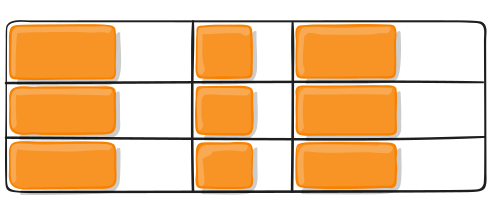
1 | .container { |
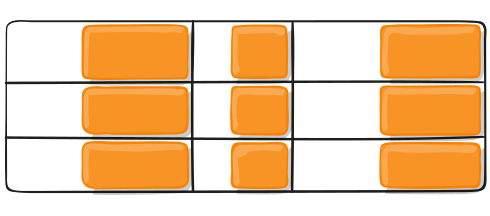
1 | .container { |
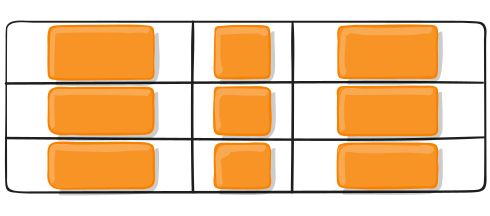
1 | .container { |
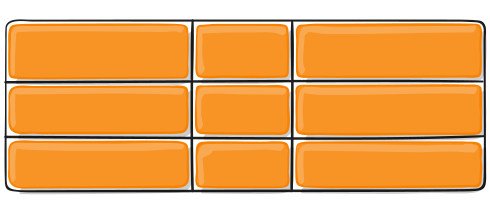
This behavior can also be set on individual grid items via the justify-self property.
align-items
Aligns grid items along the block (column) axis (as opposed to justify-items which aligns along the inline (row) axis). This value applies to all grid items inside the container.
Values:
stretch– fills the whole height of the cell (this is the default)start– aligns items to be flush with the start edge of their cellend– aligns items to be flush with the end edge of their cellcenter– aligns items in the center of their cellbaseline– align itemsalong text baseline. There are modifiers to baseline — first baseline and last baseline which will use the baseline from the first or last line in the case of multi-line text.
1 | .container { |
e.g.
1 | .container { |
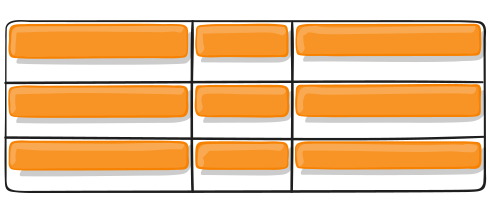
1 | .container { |
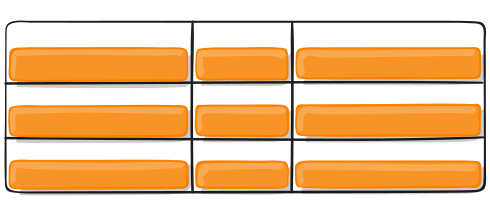
1 | .container { |
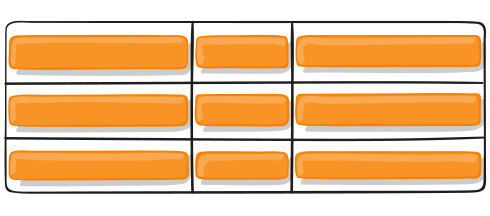
1 | .container { |
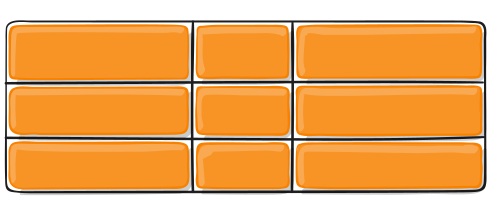
This behavior can also be set on individual grid items via the align-self property.
place-items
place-items sets both the align-items and justify-items properties in a single declaration.
Values:
<align-items> / <justify-items>– The first value sets align-items, the second value justify-items. If the second value is omitted, the first value is assigned to both properties.
For more details, see align-items and justify-items.
This can be very useful for super quick multi-directional centering:
1 | .center { |